Your Resume Might Be Getting Filtered Out by ATS Systems – Here’s How to Fix It
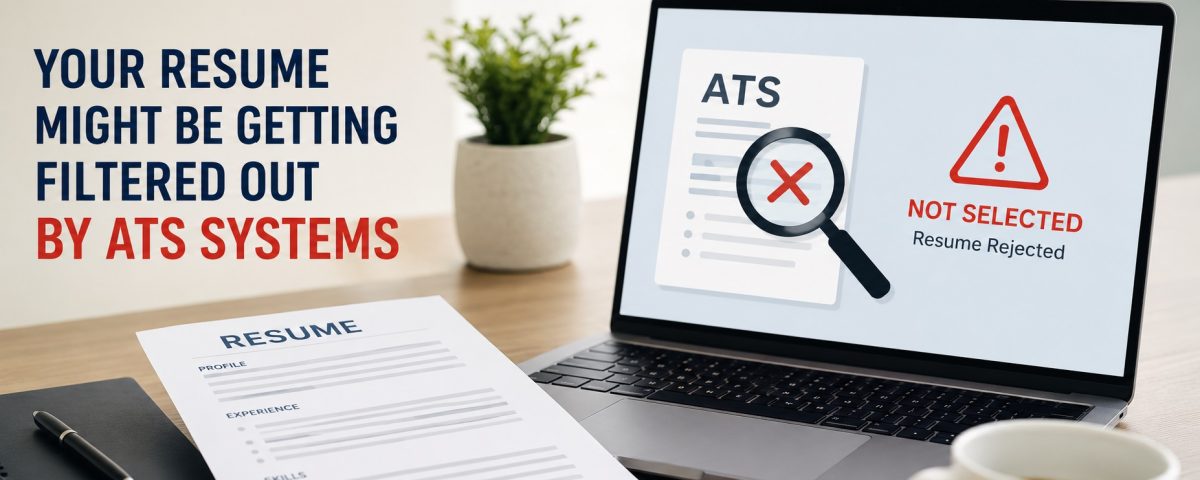
In today’s competitive job market, Resume Writing Services have become more important than ever. Many job seekers apply for dozens of positions but receive little or no response from employers. The problem is often not a lack of skills or experience—it is that the resume never reaches a human recruiter. Most companies now use Applicant Tracking Systems (ATS) to scan and filter resumes before they are reviewed by hiring managers. If your resume is not ATS-friendly, it may be rejected automatically, even if you are highly qualified.
At ProfessionalResumes, we help job seekers create resumes that are optimized for ATS systems while still being attractive and professional for recruiters. Understanding how ATS works is the first step toward increasing your chances of getting interview calls.
What Is an ATS?
An Applicant Tracking System is software used by employers to manage job applications. When you submit a resume online, the ATS scans the document, extracts information such as your name, skills, work experience, education, and certifications, and compares it with the job description.
The system then ranks or filters candidates based on how closely their resumes match the employer’s requirements. Recruiters often review only the top-ranked resumes, which means a poorly optimized resume may never be seen by a person.
Why Good Candidates Get Rejected
Many job seekers assume that having strong experience is enough. Unfortunately, ATS systems are not evaluating your potential—they are evaluating the content and structure of your resume.
Common reasons resumes get filtered out include:
Missing important keywords from the job description
Using graphics, tables, icons, or text boxes
Choosing unusual fonts or formatting
Submitting the wrong file type
Using generic job titles and descriptions
Not including measurable achievements
Even a well-designed resume can fail if the ATS cannot read it correctly.
The Importance of Keywords
Keywords are the most critical part of ATS optimization. These are the words and phrases employers use in the job posting, such as:
Project Management
Data Analysis
Customer Service
Java
Digital Marketing
Budget Planning
Team Leadership
If the job description mentions “project coordination” and your resume only says “managed projects,” the ATS may not recognize the match. Carefully review the job posting and naturally include relevant keywords throughout your resume, especially in the summary, skills, and experience sections.
Avoid keyword stuffing. The resume should still read naturally and professionally.
Use a Simple, ATS-Friendly Format
Many modern resume templates look attractive but confuse ATS software. To improve readability:
Use standard fonts such as Arial, Calibri, or Times New Roman
Keep font size between 10 and 12
Use clear headings: Summary, Skills, Experience, Education
Avoid tables, columns, graphics, and images
Use bullet points for achievements
Maintain consistent formatting
A clean and professional layout is more effective than a heavily designed resume when applying online.
Focus on Achievements, Not Responsibilities
Recruiters want to see the impact of your work. Compare these two examples:
Weak: Responsible for managing sales team.
Strong: Led a sales team of 8 members and increased quarterly revenue by 22%.
The second example includes leadership, team size, and a measurable result. ATS systems also recognize action-oriented language and relevant metrics.
Use verbs such as:
Led
Developed
Improved
Increased
Reduced
Implemented
Coordinated
Achieved
Tailor Your Resume for Every Job
One of the biggest mistakes job seekers make is using the same resume for every application. ATS systems compare your resume directly with the specific job description.
Before applying:
Read the job posting carefully
Identify required skills and qualifications
Match your experience with those requirements
Adjust your summary and skills section
Reorder bullet points to highlight the most relevant achievements
This does not mean rewriting the entire resume each time. Small targeted changes can significantly improve your match score.
File Type Matters
Most employers prefer PDF or DOCX files. However, some ATS platforms parse DOCX files more accurately than PDFs. If the job posting specifies a format, always follow the instruction.
Also, use a professional file name such as:
Rahul_Sharma_Resume.docx
Avoid names like:
Resume_Final
CV_New_Updated
MyResume2026
Optimize the Skills Section
Create a dedicated skills section that includes both technical and soft skills relevant to the role.
Example:
Technical Skills: Excel, SQL, Power BI, Python, CRM Software
Professional Skills: Communication, Problem Solving, Team Leadership, Time Management
This helps the ATS quickly identify core competencies.
Don’t Ignore the Summary Section
Your professional summary is often the first section scanned by both ATS and recruiters. In 3–5 lines, include:
Years of experience
Industry or specialization
Key skills
Major achievement
Career objective
Example:
Results-driven marketing professional with 5+ years of experience in digital campaigns, SEO, and lead generation. Increased website traffic by 40% and improved conversion rates through data-driven strategies.
How ProfessionalResumes Can Help
Many candidates are unsure whether their resumes are ATS-compatible. At ProfessionalResumes, we analyze resume structure, keyword alignment, formatting, and content quality to improve interview chances.
Our experts create customized resumes for freshers, experienced professionals, executives, and healthcare candidates. We focus on both ATS optimization and recruiter appeal, ensuring your resume performs well in automated screening and human review.
In addition to resumes, professional CV Writing Services can help candidates applying for academic, international, healthcare, and senior-level positions where a detailed and strategically written CV is essential for standing out in a competitive job market.